

Hey there! As a supplier of AC Voltage Sensors with Analog Output, I've seen my fair share of issues with these nifty devices not working as they should. So, I'm here to walk you through how to troubleshoot a non - functioning AC voltage sensor with analog output.
1. Initial Checks
First things first, when you notice that your AC voltage sensor isn't giving the right analog output, don't panic. Start with the simplest checks.
Power Supply
The most basic thing to check is the power supply. A sensor won't work if it's not getting the right amount of power. Make sure the power cable is properly plugged in. Sometimes, a loose connection can cause all sorts of problems. Check for any visible damage to the power cable, like frayed wires. If you suspect a power issue, you can use a multimeter to measure the voltage at the power input of the sensor. For a Voltage Transducer 60V, it should be getting the specified voltage as per the product manual.
Wiring Connections
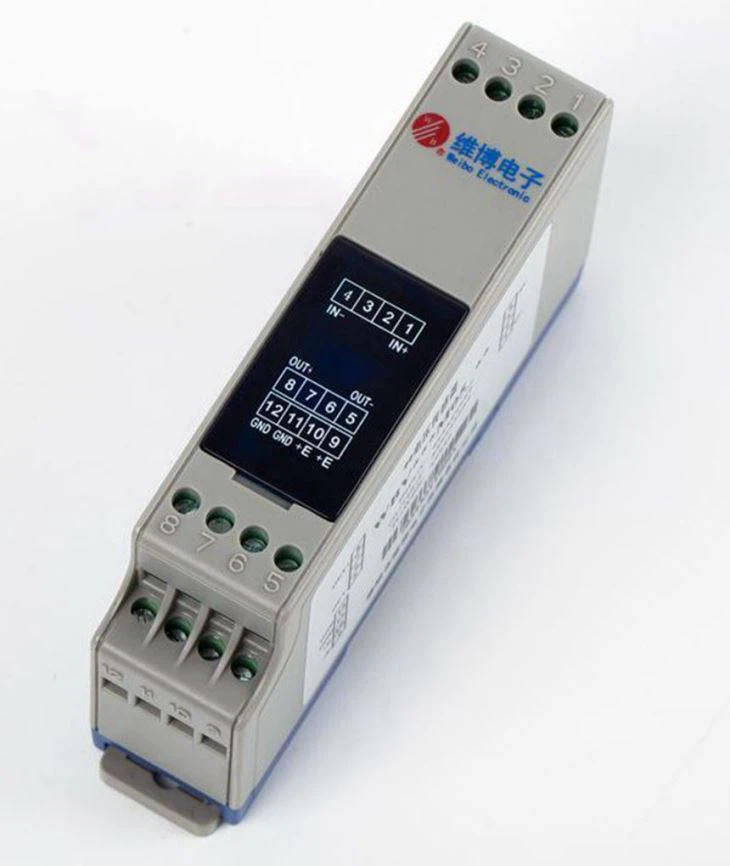
Next, look at the wiring connections. Loose, damaged, or incorrectly wired connections can lead to a non - functioning sensor. Check all the wires going to and from the sensor. Make sure they are securely attached to the right terminals. If you're using a Single Phase AC Voltage Transducer, ensure that the phase wires are connected correctly. A wrong phase connection can result in inaccurate or no output from the sensor.
2. Testing the Sensor's Input
Once you've sorted out the power and wiring, it's time to test the sensor's input.
Measure the AC Voltage at the Input
Use a multimeter to measure the actual AC voltage at the input of the sensor. Compare this measurement with the rated input voltage range of your sensor. If the input voltage is outside the specified range, the sensor may not function correctly. For example, if your 4 - 20mA Output AC Voltage Sensor is rated for 0 - 250V AC input and the measured voltage is 300V AC, it could be causing problems.
Check for Voltage Fluctuations
AC power can sometimes have fluctuations. Look for any signs of voltage spikes or dips. You can use a power quality analyzer to monitor the voltage over a period of time. Excessive voltage fluctuations can damage the sensor or cause inconsistent analog output.
3. Inspecting the Sensor Circuitry
Visible Damage
Inspect the sensor for any visible signs of damage, like burnt components, cracked PCBs, or loose solder joints. If you find any obvious damage, it's likely that the sensor needs to be replaced. However, if the damage is minor, like a loose solder joint, you might be able to fix it yourself with some basic soldering skills.
Component Testing
If you have the necessary skills and equipment, you can test individual components on the sensor's PCB. For example, you can test resistors, capacitors, and diodes using a multimeter. Check if the values of these components are within the specified range. A faulty component can cause the sensor to malfunction.
4. Verifying the Analog Output
Now, let's focus on the analog output of the sensor.
Measure the Output Voltage
Use a multimeter to measure the analog output voltage of the sensor. Compare this measurement with the expected output based on the input voltage and the sensor's specifications. For an Analog Output Voltage Sensor, the output should vary linearly with the input voltage. If the output voltage is zero or way off from the expected value, there's a problem.
Check for Output Stability
Monitor the analog output over a period of time to check for stability. A stable output is crucial for accurate measurements. If the output is fluctuating wildly, it could be due to a problem with the sensor's internal circuitry or interference from external sources.
5. Considering External Factors
Sometimes, external factors can cause issues with the sensor's performance.
Electromagnetic Interference (EMI)
Electromagnetic interference can disrupt the sensor's operation. Look for any sources of EMI nearby, such as large motors, transformers, or high - voltage power lines. If possible, move the sensor away from these sources or use shielding to protect it from EMI.
Temperature and Humidity
Extreme temperatures and high humidity can also affect the sensor's performance. Make sure the sensor is operating within the specified temperature and humidity range. If the environment is too hot or humid, consider using a protective enclosure or ventilation to keep the sensor within optimal conditions.
6. Calibration and Configuration
If everything else seems okay, the problem might be related to the calibration or configuration of the sensor.
Re - Calibrate the Sensor
Over time, the sensor may lose its calibration. Refer to the product manual to see if you can re - calibrate the sensor. Some sensors have built - in calibration procedures that you can follow. For a High Stability AC Voltage Transducer, accurate calibration is especially important for reliable performance.

Check the Configuration Settings
Make sure the sensor is configured correctly. Check the settings for things like output range, scaling factor, and filtering. A wrong configuration can lead to incorrect analog output.
Conclusion
Troubleshooting a non - functioning AC voltage sensor with analog output can be a bit of a challenge, but by following these steps, you should be able to identify and fix most issues. Remember to always start with the simplest checks and work your way up to more complex ones. And if you get stuck or can't figure out the problem, don't hesitate to reach out.
If you're in the market for a new AC voltage sensor with analog output or need replacement parts for your existing one, we're here to help. We've got a wide range of high - quality sensors that are reliable and accurate. Contact us for a detailed discussion about your requirements and let's work together to find the perfect solution for you.
References
- General knowledge in the field of electrical sensors and troubleshooting from industry experience.